Templates overview
A template is reusable Email or SMS starting content for campaigns. Build common messages once, keep the active versions organized, and select the right one when you create a Broadcast.
Templates reduce repeated typing. They do not replace the final review of a Broadcast’s audience, content, links, consent requirements, or timing.
Maintain reusable Email and SMS starting content
Select a template and review the copied subject and body
Approve the audience, final content, and timing together
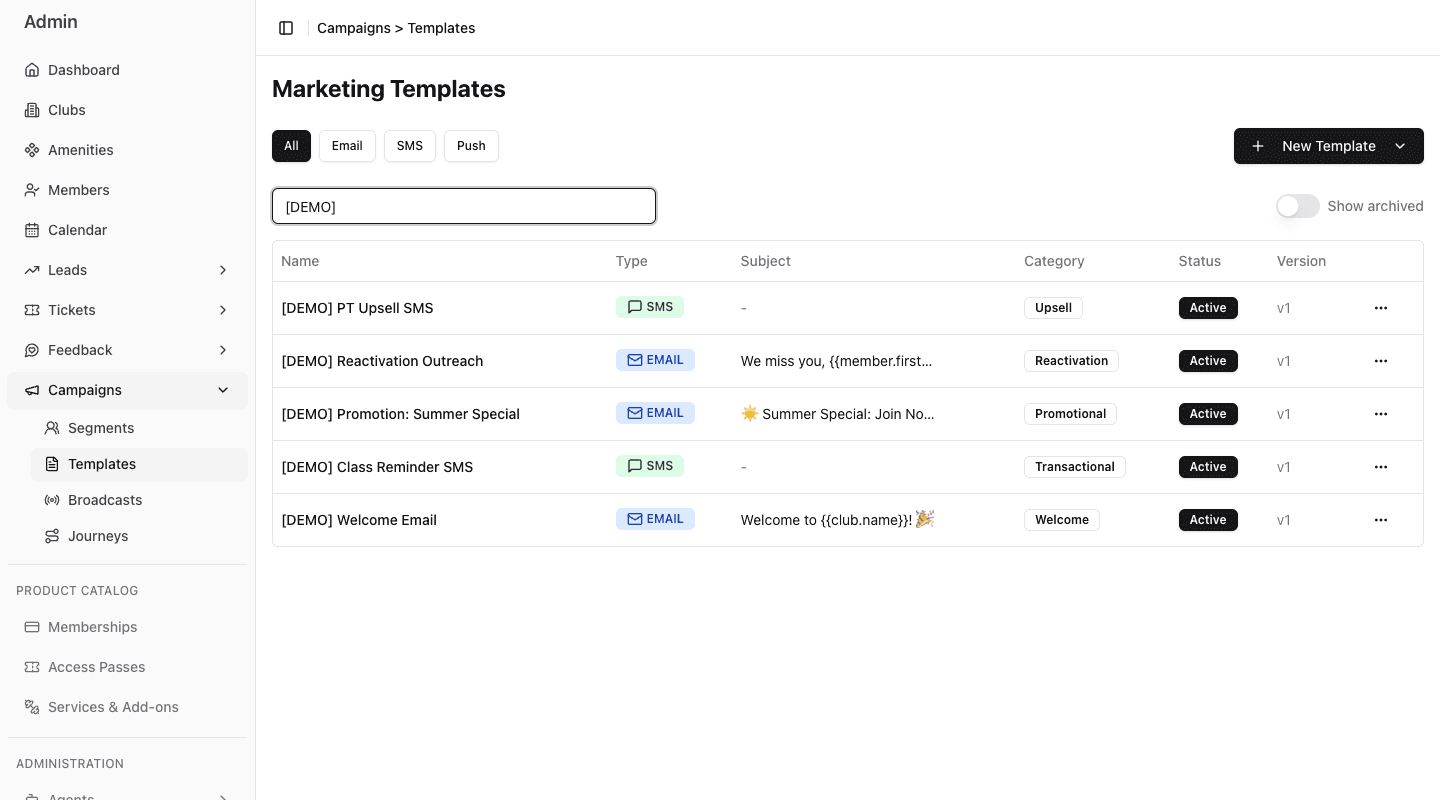
- 1Filter the library to Email or SMS.
- 2Search by template name.
- 3Start a new Email or SMS template.
- 4Read category, active status, and row actions before reuse.
Choose the right channel
Use an Email template when the message needs:
- a subject line;
- formatted HTML content;
- links or a longer explanation;
- an unsubscribe link;
- visual preview and test delivery.
Use an SMS template when the message should be short, direct, and easy to act on from a phone. FitStack estimates its encoding, segment count, and cost while you write.
This learning path deliberately covers Email and SMS templates. Push templates are outside the scope of this guide.
Coming soon: shared Campaigns Email and SMS Templates will be available inside Journey message steps. Today, this library supplies Broadcast content. Journey workflow templates are separate reusable workflow structures.
What a template stores
Both channels store:
- an internal name;
- an optional description and category;
- the message body;
- whether the template is active.
Email also stores a subject line. Only active templates are available for new campaign use.
Naming and categories
Use names that make the channel and purpose clear without opening the template. For example:
Welcome | Email | New member follow-upClass reminder | SMS | Same dayPromotion | Email | Summer offer
Use a small, consistent category set such as Welcome, Promotional, Transactional, or Reactivation. Categories help staff scan the library; the search box filters by name.