Manage club information
The club Overview is the source record for the physical gym. Review it when a club opens, moves, changes contact details, or enters a new operating phase.
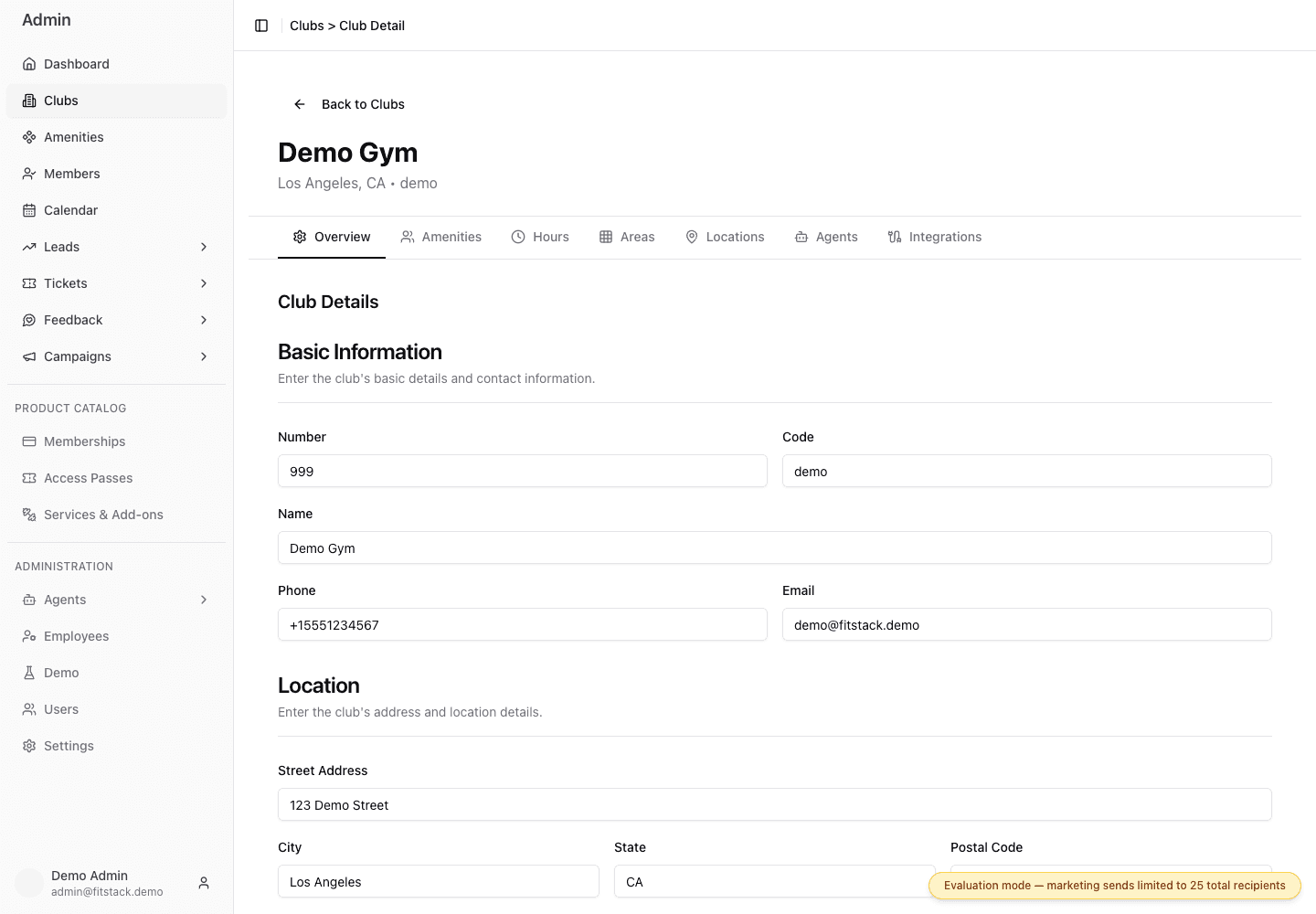
- 1Use Overview for the physical club record.
- 2Confirm stable identifiers and member-facing contact details.
- 3Keep the permanent club address separate from enrollment locations.
Confirm the club identity
Check Number, Code, and Name. The code is used to distinguish clubs throughout FitStack, so treat a code change as an identifier change, not a copy edit.
Update contact and physical location details
Review Phone, Email, Street Address, City, State, Postal Code, Latitude, and Longitude. These fields describe the club itself. A temporary sales office or kiosk belongs under Locations.
Set the time zone
Choose the club’s local Timezone and compare the displayed current time with the club’s actual local time. Hours, dates, quiet-hour decisions, and other time-sensitive behavior depend on this setting.
Review communication and discovery fields
Add or correct social accounts and selected review platforms.
Set SMS Quiet Hours as a start and end time in the club’s configured time zone. The default 9:00 PM to 9:00 AM period delays supported production Broadcast, Journey, lead-pipeline, and feedback SMS. It does not delay email, calls, ticket confirmations, or person-initiated replies. Read Quiet hours and messaging before using the setting as a contact-time control.
Set status and launch dates
Choose the current status—Planning, Presale, Open, or Closed—and review Presale Date, Opening Date, and First Tap Date. Use dates that have been approved by the launch owner.
Save and verify
Select Save Changes, reopen the club, and verify the fields that changed. Supported public club experiences are asked to refresh after the save, so incorrect information can travel beyond this form.
Delete Club is destructive. Do not use it to represent a temporary closure or a club that has not opened; use the appropriate status and hours.
Review checklist
- The header identifies the intended club.
- The address is the physical gym, not a presale office or kiosk.
- The time zone matches the club’s local time.
- Status and dates agree with the operating plan.
- Phone, email, and quiet hours have an accountable owner.