Choose an audience and channel
Every broadcast sends through one supported channel to one audience definition. Choose the audience first, then confirm that its permission rules match the channel.
Saved Segment or one-time audience?
| Choice | Use it when… | What happens |
|---|---|---|
| Use existing segment | the audience is reusable, reviewed, or already used by your team | the broadcast references the saved Segment |
| Create custom audience for this campaign | the rules are truly specific to this one message | FitStack saves the one-time audience for the broadcast |
Use an existing Segment for the first broadcast. It is easier to review, recalculate, and reuse.
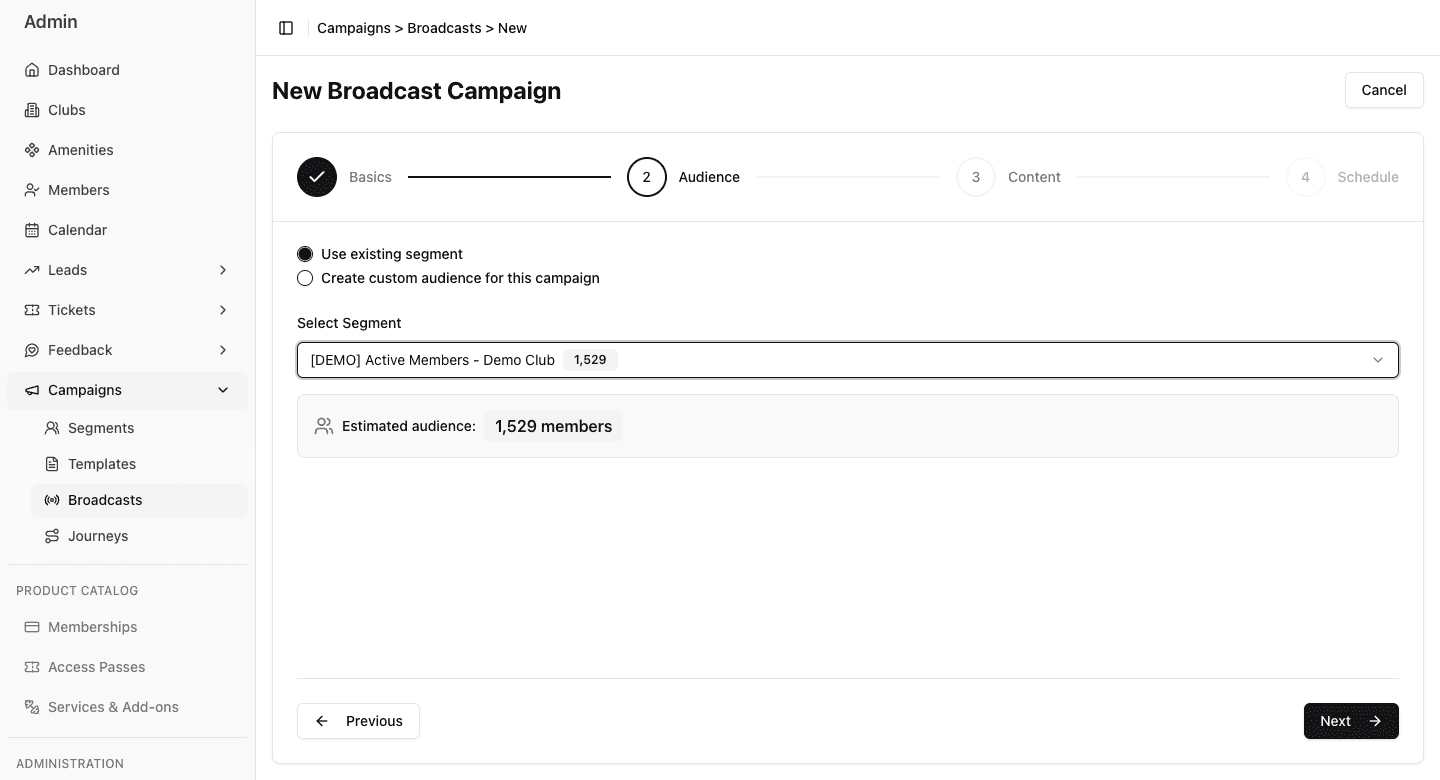
- 1Choose a reviewed saved Segment or build rules for this broadcast only.
- 2Confirm the intended Segment before continuing.
- 3Treat the estimate as a reasonableness check, not a delivery promise.
Always make club scope explicit. A one-time audience without a club condition can match people across every club, just like a saved Segment.
Read the audience estimate
When you select a saved Segment, FitStack shows its estimated audience. Treat that number as an early reasonableness check:
- zero — the rules may be too narrow, incomplete, or based on missing data;
- unexpectedly large — club scope or ALL/ANY may be wrong;
- expected range — continue, then review the fresh publish count later.
The audience is evaluated again when the send starts. People can enter or leave between drafting, scheduling, and sending.
Choose Email or SMS
| Channel | Best for | Required audience checks | Timing behavior |
|---|---|---|---|
| longer updates, formatted links, newsletters | email address and current Email consent | not held by SMS quiet hours | |
| SMS | brief, time-sensitive messages | phone number and current SMS consent | held outside club-local delivery hours |
FitStack sends a broadcast through one channel only. If the same announcement needs both Email and SMS, create and review two broadcasts so each channel has the right audience, content, and timing.
Align permission with the channel
For beginner-safe targeting:
- Email broadcast → Email Consent equals Yes;
- SMS broadcast → SMS Consent equals Yes.
FitStack checks current consent again at send time. Including consent in the audience still makes the intent clear and gives a more useful early estimate.
One-time audience checklist
If you use the custom audience builder:
- keep Match ALL for required boundaries;
- add the club condition first;
- add membership or lead criteria;
- add consent for the chosen channel;
- review the estimate after every change;
- stop if the count does not make sense.
Use the Segment Filter guide for field and operator examples.