Journeys overview
A Journey is a multi-step marketing workflow that enrolls members when a defined event occurs. It can send Email or SMS, wait, branch, create a sales opportunity, and end each enrollment at an intentional result.
Use a Journey for an ongoing lifecycle process such as onboarding, nurture, or win-back. Use a Broadcast for one message sent to a Segment at a chosen time. Use Journeys or lead pipelines? when the next step may be individual follow-up.
Choose Blank or clone a template
Set triggers, re-entry, active exits, and limits
Save and publish a valid workflow version
Publish the Journey so future trigger events can enroll members
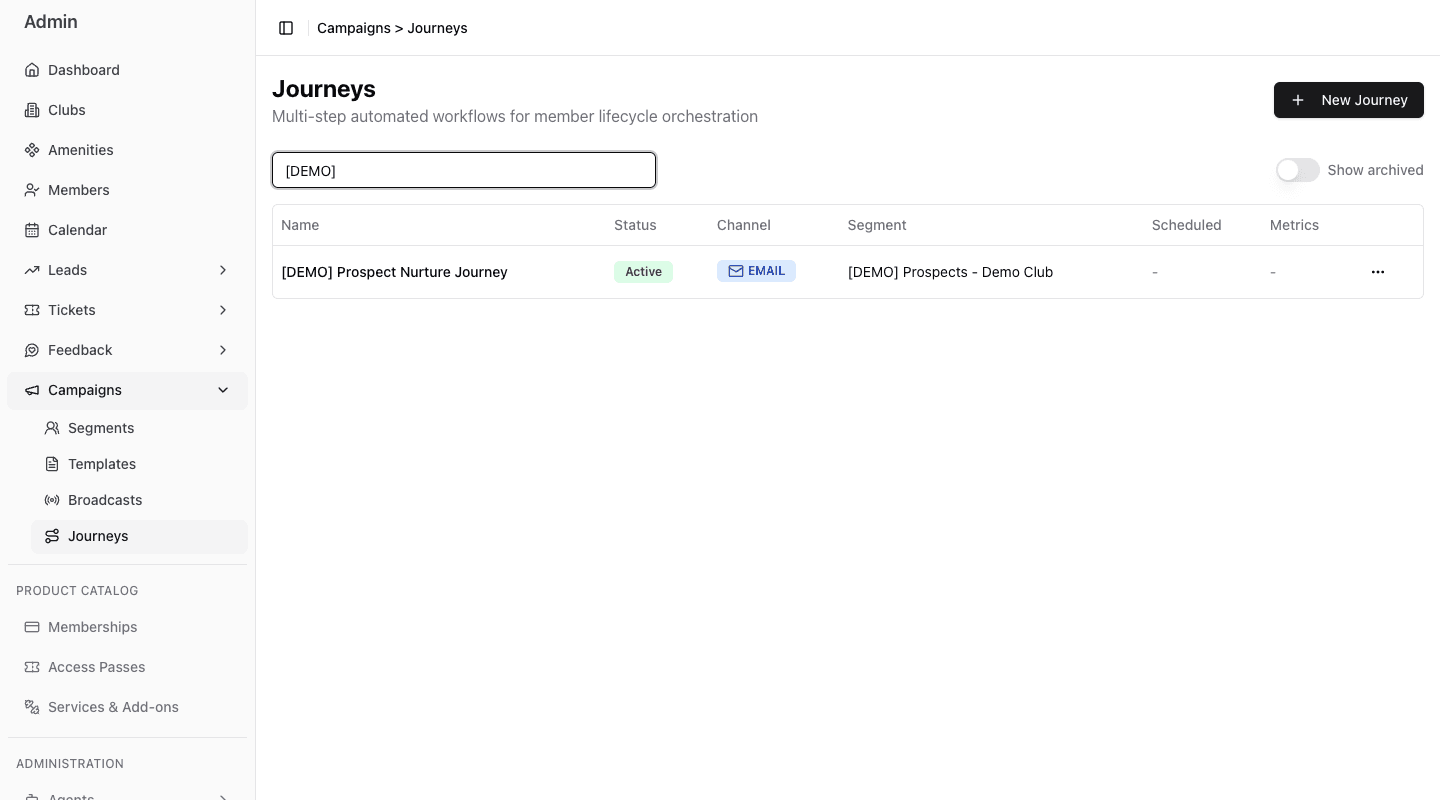
- 1Start a new Journey.
- 2Search by Journey name.
- 3Open the Journey workspace.
- 4Read status, channel, Segment, and summary metrics.
- 5Include archived records when reviewing history.
When a Journey starts
Publishing activates the Journey immediately. It does not schedule a Broadcast-style send. Future events that match an entry trigger can enroll members while the Journey is Active.
At least one trigger is required:
- Segment entry;
- membership started through a FitStack stage change;
- member created through a non-bulk FitStack flow;
- member-linked calendar booking confirmed;
- manual enrollment.
Multiple triggers can feed one Journey. FitStack prevents the same member from holding two simultaneous active enrollments in that Journey.
Publishing makes future matching events eligible immediately. Review the trigger, re-entry policy, workflow messages, destinations, exits, and limits together before publishing.
Coming soon: shared Campaigns Email and SMS Templates will be available inside Journey message steps. Today, enter Journey message content in the workflow editor. A Journey workflow template is a separate reusable workflow structure.
What the Journey workspace contains
- Overview — headline enrollment, message, trigger, audience, exit, and timeline information.
- Settings — entry triggers, re-entry, active exit protections, dormant goal settings, message limits, and opportunity destination.
- Diagram — the open draft when present, otherwise the published workflow; the badge identifies which version is shown.
- Analytics — aggregate engagement and member-status metrics for the whole Journey.