AI agents and workflows in pipelines
FitStack uses AI at the stage level. When a Lead enters an agentic stage, the assigned published workflow starts and the selected agent drives that workflow toward the stage goal.
The workflow supplies the repeatable cadence and actions. The agent supplies the communication identity and enabled channels. The stage supplies the mission, success destination, and optional failure destination.
Who controls what
AI support does not remove human accountability. Staff should review consent, sensitive or unexpected replies, stale Leads, exceptions, and every terminal outcome that requires business judgment.
Four pieces of an agentic stage
- Published workflow — the approved sequence of outreach, waits, reply handling, logging, and completion.
- AI agent — the specific agent that communicates through the workflow’s required channels.
- Stage goal — the plain-language outcome injected into the agent’s work.
- Routing — the required success stage and optional failure stage.
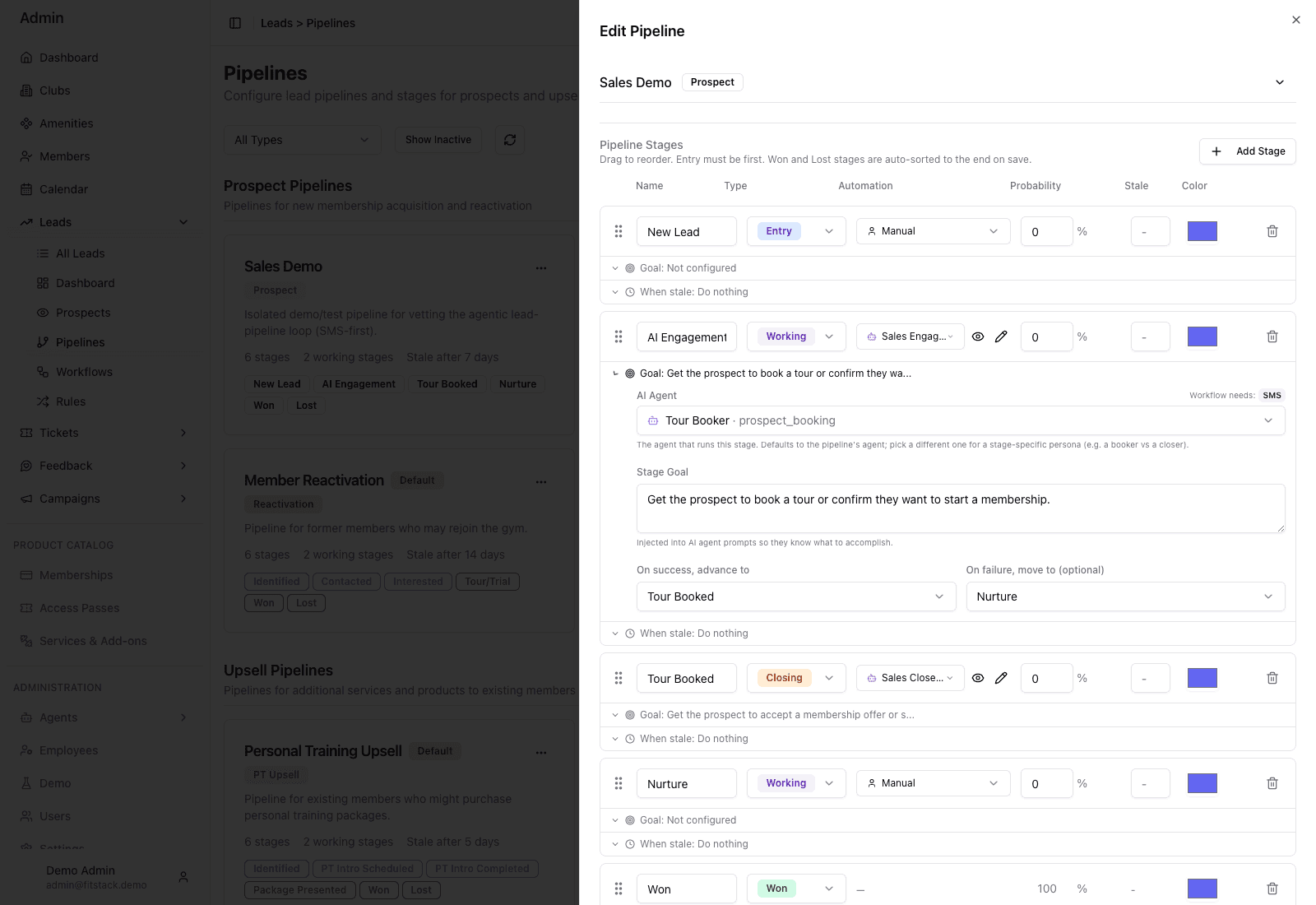
- 1Choose the published workflow that owns this stage on entry.
- 2Select one agent with every channel the workflow requires.
- 3Write one observable goal in plain language.
- 4Route success and optional failure deliberately.
Choose or build a workflow
Open Leads → Workflows. You can clone a platform template or create a blank workflow. Templates are starting points, not active assignments.
Edit the draft, review its channels and paths, then publish it. A draft never executes. Only an active workflow with a published version can be assigned to a pipeline stage.
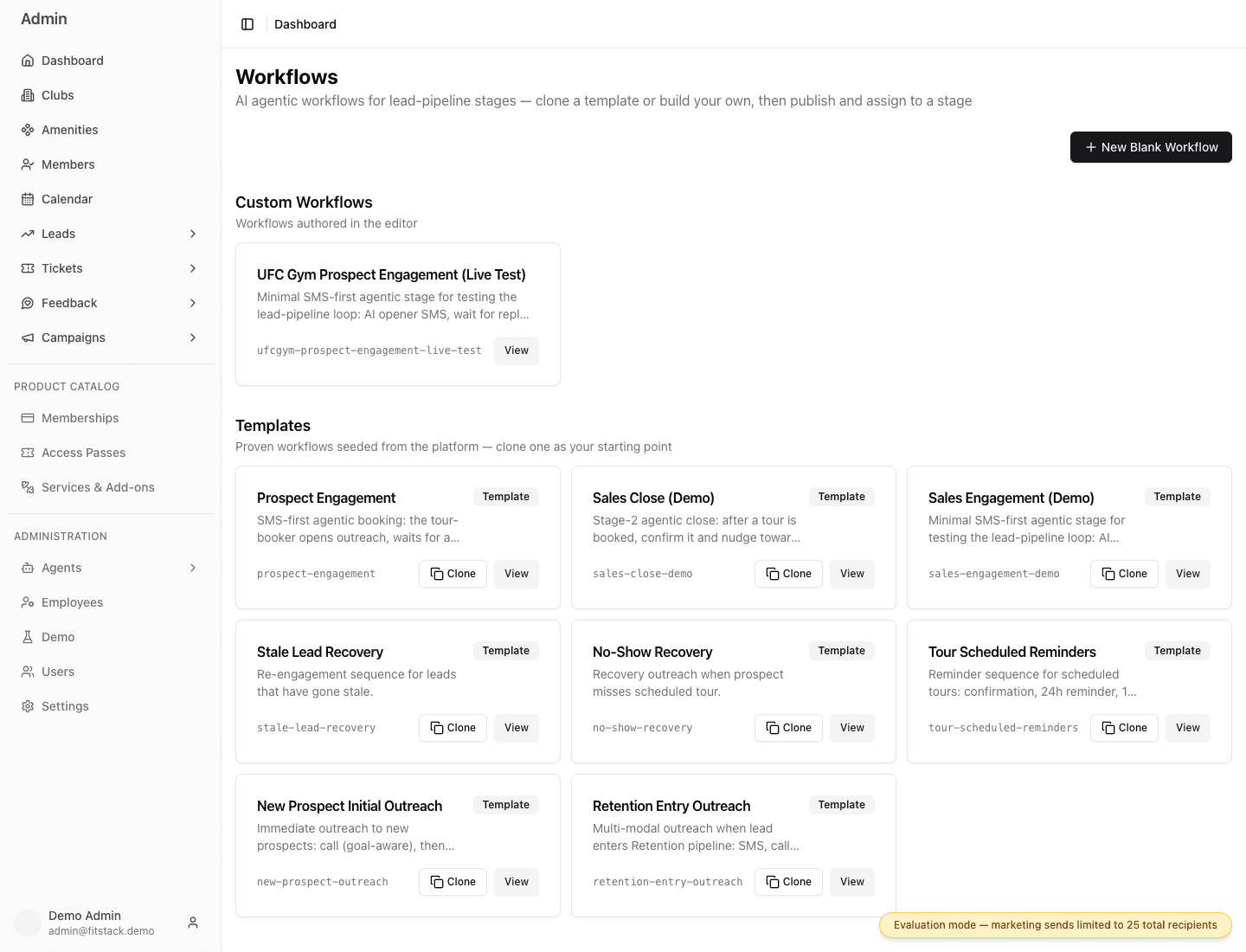
- 1Start blank only when no template fits the operating goal.
- 2Custom workflows are editable definitions owned by your team.
- 3Templates are proven starting structures; clone before editing.
- 4View the sequence and required channels before choosing it.
What happens after stage entry
- FitStack checks for the stage’s assigned published workflow and agent.
- If the Lead is eligible and is not already active in that workflow, the workflow enrolls the Lead.
- The agent follows the published steps and uses the stage goal as its mission.
- Calls, messages, replies, and supported outcomes are recorded as activity. A workflow wait advances enrollment execution but does not appear as a Lead Activity timeline record.
- When the goal is reached, the agent can advance the Lead only in the full context of this stage and pipeline.
- If the person engages without reaching the goal, the Lead stays for ongoing conversation or human follow-up.
- If the workflow completes without response, the Lead follows the optional failure destination or stays for manual or stale handling.
Lead-pipeline SMS steps wait for the Lead club’s quiet-hours window. Email and Call steps do not. A person who replies during quiet hours can be answered immediately. See Quiet hours and messaging.
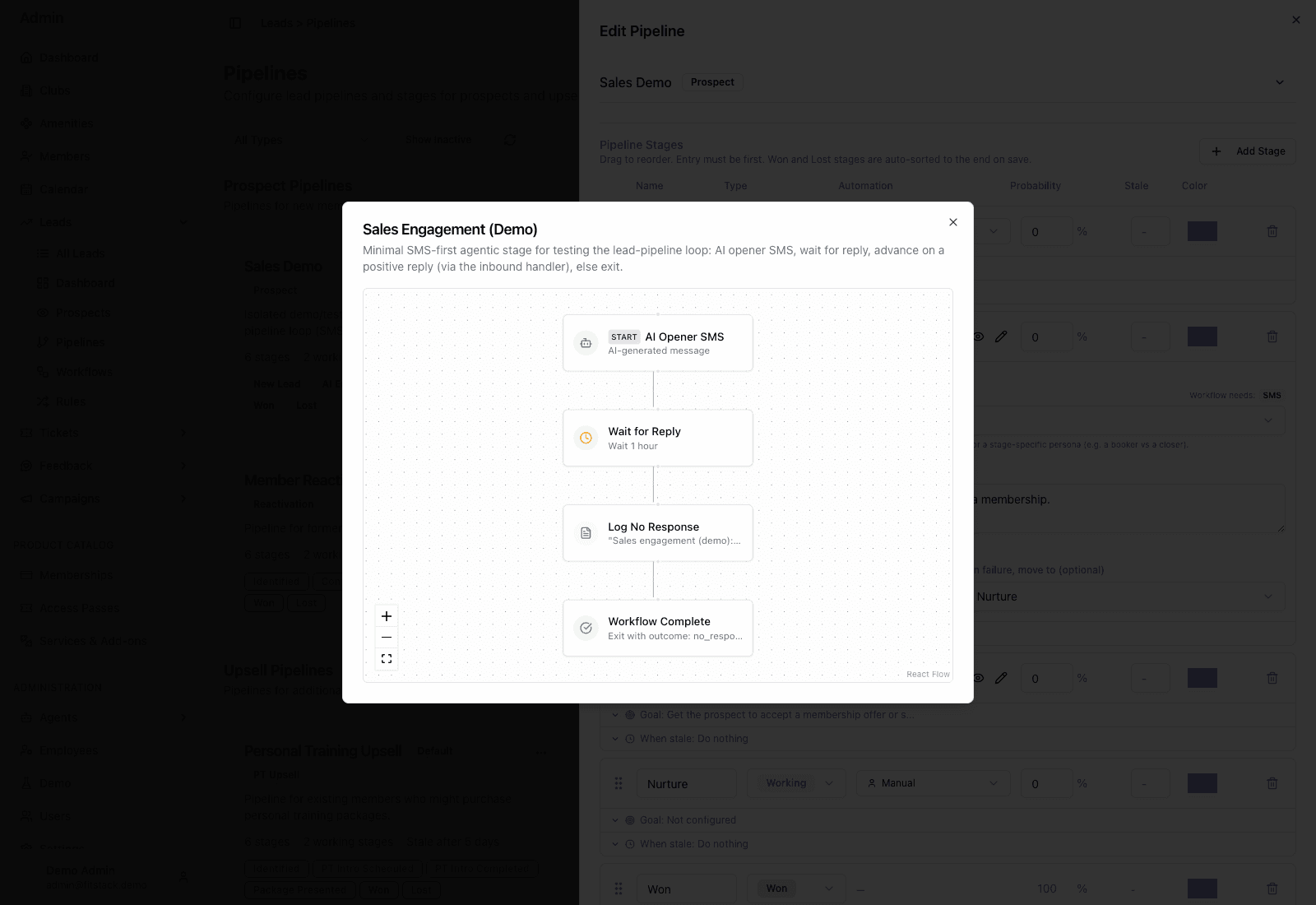
- 1The published sequence starts with its configured opener.
- 2A wait gives inbound engagement time to arrive.
- 3The no-response branch records the operating result.
- 4Completion ends this workflow path; stage routing remains separate.
A Lead cannot be enrolled twice in the same workflow while that workflow is pending or in progress. An in-flight run keeps the published workflow version it started with.
Inbound replies when the stage is manual
The Inbound Fallback Agent is not an outbound stage worker. It answers replies when the Lead’s current stage has no AI agent. It has no stage goal and does not advance the Lead. If no pipeline fallback is selected, the brand default agent answers under the same goal-less boundary.
The reply order is:
- current stage workflow agent, when active and capable;
- pipeline Inbound Fallback Agent;
- brand default agent.
Human intervention and changes
Staff can intervene whenever judgment or a handoff is needed. A manual stop does not trigger an automatic downstream action.
Changing a stage assignment affects future stage entrants:
- switching workflows does not rewrite a workflow already in progress;
- switching to Manual does not stop a workflow already running;
- publishing a new workflow version does not change an in-flight run.
Review active Leads before making a change, then decide whether any running work needs a separate human stop or follow-up.