Segments overview
A segment is a saved set of rules that finds the people you want to reach. It is not a frozen list: people can enter or leave as their information, membership, or communication permission changes.
Segments are reusable. Broadcasts can select a saved Segment, and a Journey can use entry into a saved Segment as an enrollment trigger. This learning path starts with the safer Broadcast workflow; Plan and run campaigns shows both paths together.
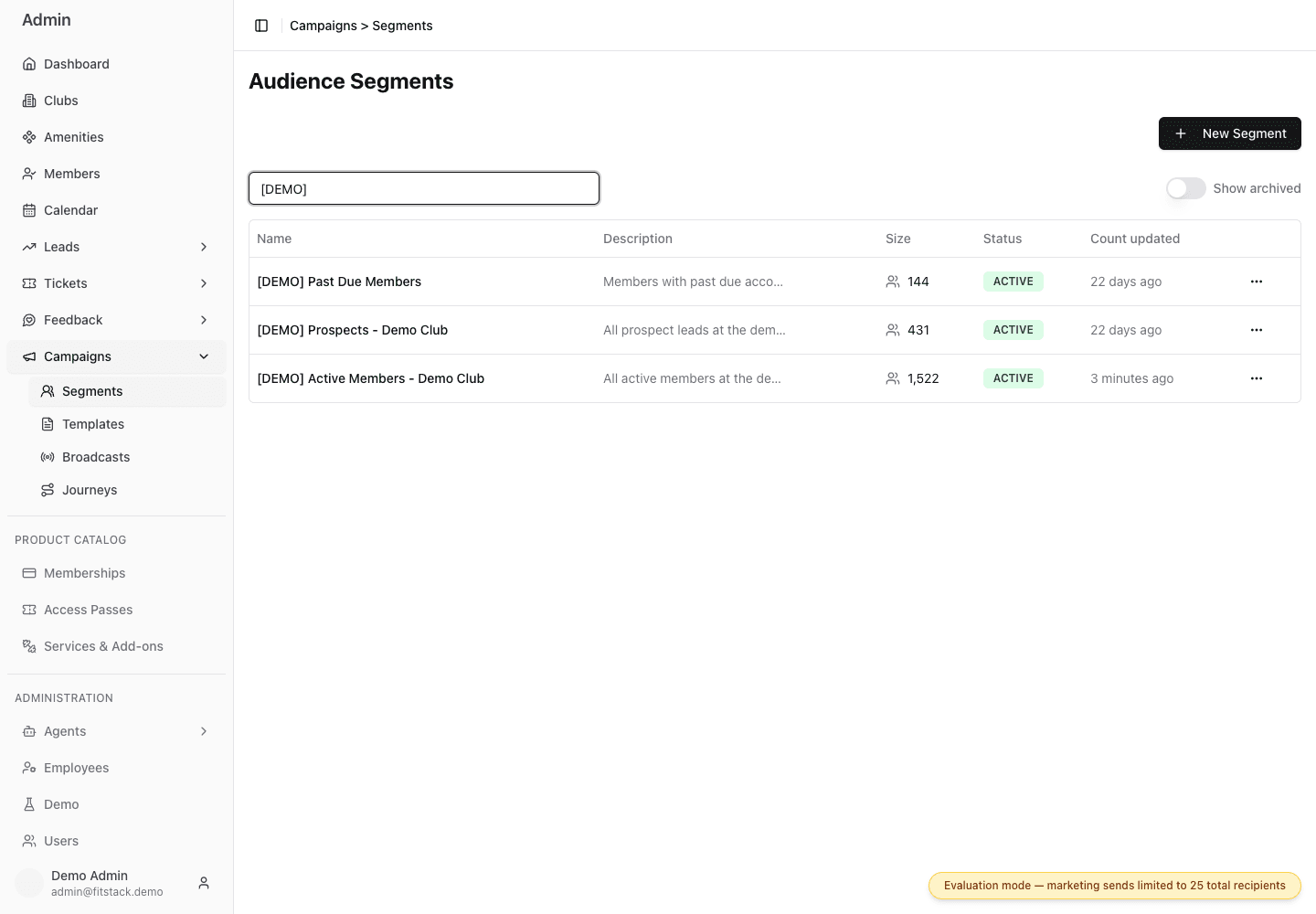
- 1Create a segment.
- 2Include archived segments when reviewing old work.
- 3See when each saved count was last calculated.
The terms to know
| Term | Plain meaning |
|---|---|
| Segment | A saved audience rule |
| Condition | One fact a person must match |
| ALL | Every condition must match |
| ANY | At least one condition must match |
| Estimated audience | The people who matched when the count was last calculated |
| Recalculate Size | Run the saved rules again and update the displayed count |
| Archive | Remove a segment from new selections while keeping existing uses intact |
Club is Demo
AND
Status is Active
AND
Email consent is Yes
A person must meet every condition.
Club is Demo
OR
Status is Active
OR
Email consent is Yes
A person can meet just one condition.
Segments can include people from every club. If a broadcast is for one club, always add a club condition.
Before you create a segment
Decide:
- Which club or clubs should be included?
- Will the broadcast use email or SMS?
- What makes someone relevant to this message?
- What count would be reasonable?
Start narrow. A surprising count is a reason to check the rules before using the segment.
Continue learning
TutorialCreate your first segmentBuild a safe, single-club email audience step by step.Create a segment ReferenceChoose filtersUnderstand fields, operators, ALL, and ANY.Open the filter guide MaintenanceManage segmentsEdit, recalculate, archive, and review saved segments.Review maintenance tasks PlanningUnderstand countsLearn why segment size and actual send volume can differ.Explain audience totals
Last updated on