Lead pipelines overview
A lead pipeline is the ordered process used to work one category of individual opportunities. Every Lead has a current stage, a next job, an activity record, and an eventual terminal status such as Won, Lost, or Disqualified. Won and Lost are pipeline stages; Disqualified closes the Lead without moving it to either stage.
Use a pipeline after a person has demonstrated enough intent to need individual follow-up. Leads can arrive from configured Broadcasts and Journeys, staff entry, GymSales synchronization, and supported prospect intake. Use a Marketing Journey when the job is still audience nurture, education, or qualification at scale.
To practice a current campaign handoff end to end, follow Turn an SMS reply into a PT Upsell Lead. It uses one Demo Gym contact and verifies the resulting Lead in Identified.
What a pipeline controls
A pipeline gives administrators one place to define:
- the business purpose and immutable pipeline type;
- the ordered Entry, Working, Closing, Won, and Lost stages;
- whether each working stage is handled manually or by a configured AI agent and published workflow;
- the goal for an agentic stage and where success or failure should route;
- when inactivity marks a Lead stale and what happens afterward;
- which pipeline is the default destination for new Leads of that type.
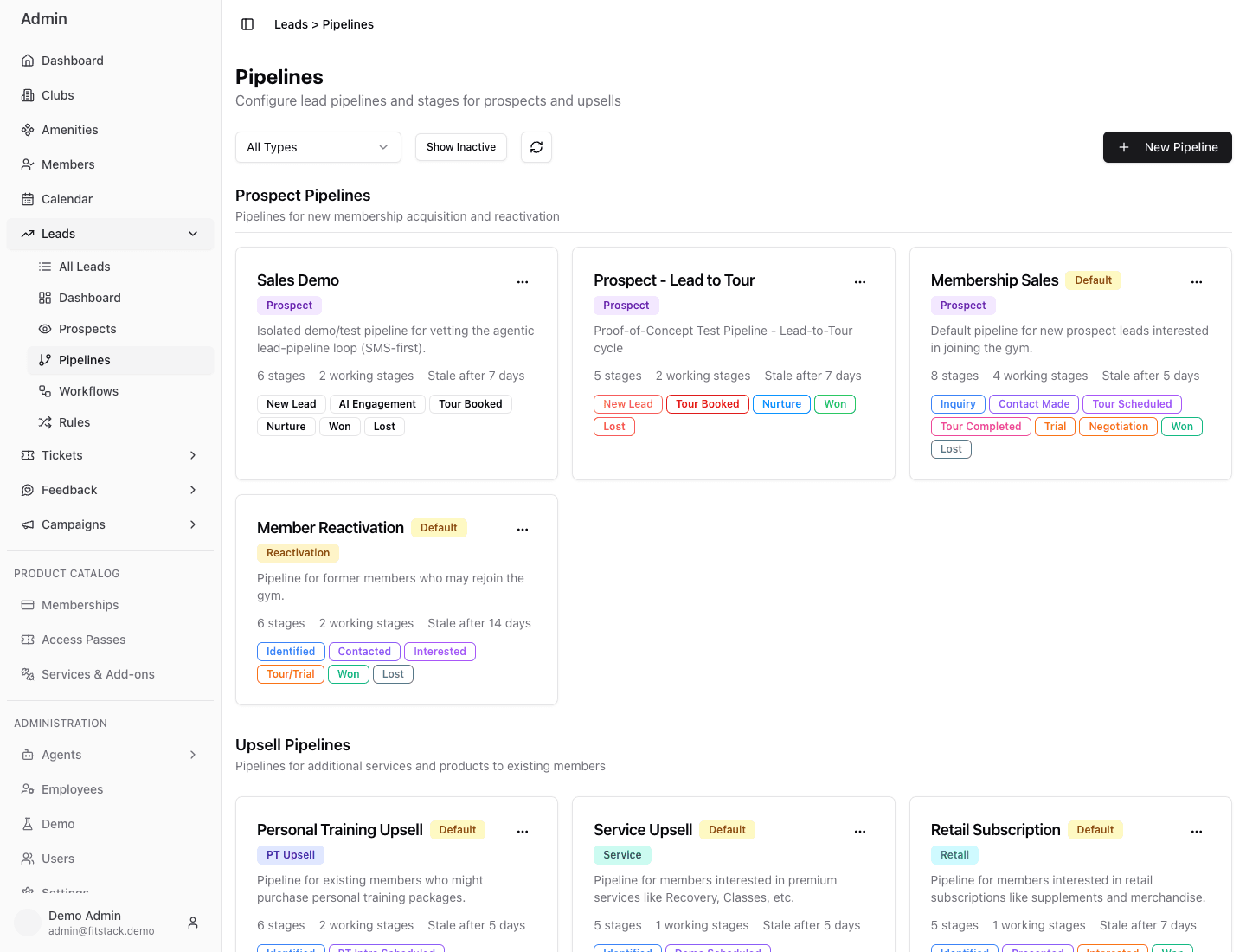
- 1Choose a pipeline family or show inactive pipelines.
- 2Each card states the type, purpose, and operating defaults.
- 3Read the stage sequence before assigning Leads or automation.
- 4Upsell pipelines serve existing-member opportunities.
Human and AI work together
“Agentic” describes a configured stage where an AI agent drives the published workflow on entry. It does not give the agent control of the whole pipeline.
Administrators choose the stages, goal, agent, workflow, channels, and routing. The agent executes within those boundaries, records activity on the Lead, and may advance the Lead when the configured goal is reached. Staff remain accountable for exceptions, consent, sensitive conversations, manual work, and the final business judgment.
Every configurable stage is either Manual or has one active workflow and one specific AI agent. Different stages can use different agents—for example, a tour-booking agent early and a sales agent near close.